FeatureOps Explained: How to Stay in Control After You Deploy

Melinda Fekete
Documentation Lead
November 12, 2026
TLDR;
Deploying code and releasing a feature used to be the same event. Feature flags separate the two, so code can sit in production switched off until you choose to turn it on. This post explains how that works and why the practice, called FeatureOps, matters more now that AI writes so much of our code.
Ship on Friday, release on Tuesday
Picture a Friday afternoon. The code is merged, the pipeline is green, and your new feature is sitting in production. Nobody can see it yet, because you haven’t released it. You’ll do that on Tuesday, once the support team is ready. And if Tuesday goes badly, you can switch the feature off in a few seconds, with no rollback and no hotfix.
That gap between deploying code and releasing a feature is what feature flags give you. Managing that gap well, across every team and every change, is a discipline we call FeatureOps. This post covers both, along with why they matter more now that AI writes a growing share of our code.
If you’d rather watch than read, the three-minute video version is below.
A feature flag is an if statement with a remote control
A feature flag is an if statement in your code. It checks a condition and decides which code path runs.
if (unleash.isEnabled('instant-transfers')) {
  showInstantTransfers();
} else {
  showStandardTransfers();
}
What makes it different from any other if statement is where the answer comes from. The condition is evaluated at runtime, based on configuration and targeting logic that lives outside your code. You can change that configuration while the application is running, and the behavior changes with it. There is no deployment and no restart involved.
This works for frontend and backend functionality alike. Anything you can wrap in a condition, you can control with a flag. Think of exposing new API endpoints, showing a new UI component, A/B testing a web page, or controlling which model your AI agents are using.
Deploying and releasing are two different things
This one mechanism changes how teams ship, because it splits a single nerve-racking event into separate, calmer ones.
- Deploy whenever the code is ready. Unfinished or unannounced work can sit in production behind a flag that’s switched off.
- Release when you decide. Turning a feature on becomes a product decision you make on your own schedule.
- Turn it off in seconds. When something goes wrong, you flip the flag back while you work out what happened and how to fix it (without the pressure of hurting customers in prod).
Unleash builds on this idea in three ways. Targeting lets you expose a feature gradually, to a slice of users at a time. Metrics-driven rollouts let production data decide how fast a release moves. Audit trails and access controls govern who can change what, in which environment.
AI writes code faster than we can worry about it
With AI coding assistants, you can generate a lot of code very quickly. More code arriving faster means more surface area for things to go wrong.
DORA’s research puts numbers on it. The 2024 DORA report estimated that as AI adoption increased, delivery stability dropped by 7.2%. A year later, the 2025 report found that AI adoption had started to improve delivery throughput, while delivery instability kept rising. Teams are shipping more, and breaking more.
The tempting response is to slow down: more review gates, longer release freezes, bigger batches. That gives away the speed you adopted AI for in the first place. A better response is to make every change reversible at runtime, behind a control you can undo in seconds, without a re-deploy. If a change turns out to be wrong, the cost is a flipped switch and a slightly bruised ego.
So what is FeatureOps?
FeatureOps is the discipline of controlling what your code does after it’s deployed.
The easiest way to place it is next to its older sibling. DevOps gets your code to production. FeatureOps controls what that code does once it’s there: who sees a feature, when they see it, how quickly it can be switched off, and who is allowed to make that call.
DevOps made deployment boring, which is the highest compliment you can pay a deployment. FeatureOps aims to do the same for releases and incident management.
What it looks like in practice
In the video, we walk through an example banking app with Unleash running alongside it. Here’s the short version.
Release with one click. The app has an instant transfers feature that’s deployed and ready to go. I turn on the flag in Unleash, and the feature is live. There’s no pipeline run and no restarts. On mobile, this means releasing a feature without a new build or app store review.
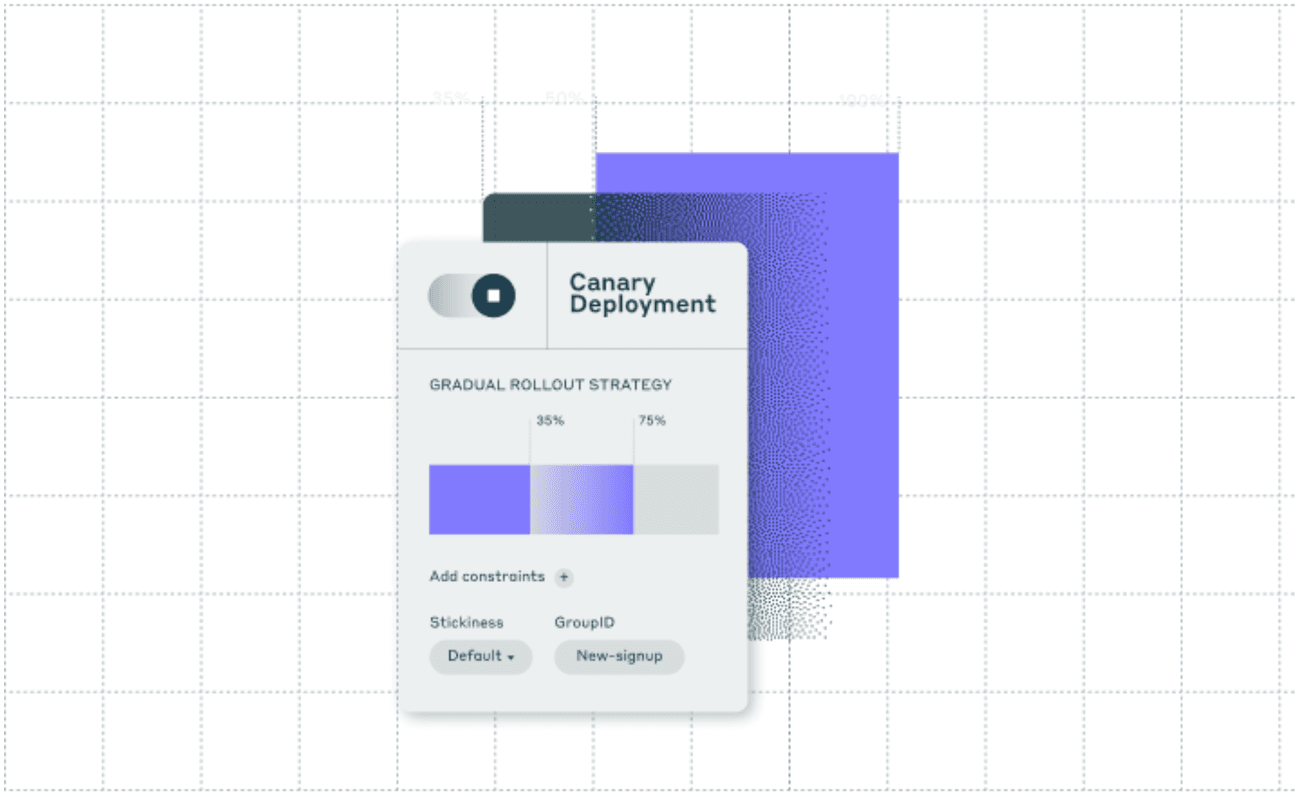
Release to some people first. I don’t have to release to everyone at once. I can target a single environment, five percent of traffic, or specific user segments, and widen the audience as confidence grows.
Let production metrics drive the rollout. I can connect a rollout to a real production metric, such as error rate or latency. While the metric stays healthy, the rollout progresses on its own.
Add a safeguard. I roll out a second feature, an AI assistant, with a safeguard attached using thumbs down as a metric. If users start clicking thumbs down, Unleash pauses the rollout automatically. Nobody needs to be watching a dashboard at 2 AM for that to happen.
One pattern, many jobs
The banking app is one example, but the same pattern shows up in very different kinds of work:
- Shipping new features
- Retiring old ones
- Migrating away from legacy systems
- Keeping AI-generated changes in check
In every case, you decouple deployment from release, and you keep control of your software after it’s live.
Get started
You can be up and running with your first flag in a few minutes. Sign up for a free trial, or reach out to us for a demo if you’d like a guided tour first.
Share this article