Sign up for "Implementing a Kill Switch for AI" on Sep 22nd
Join the Unleash team to learn how to integrate runtime control in your AI strategy.
Blue-green deployments vs. feature flags

Alex Casalboni
Developer Advocate
November 9, 2025
Blue-green deployment has been around for years as a way to reduce deployment risk. The concept is simple: you run two identical production environments, blue and green. One environment serves live traffic while the other stays idle. When you’re ready to release, you deploy the new version to the inactive environment, verify it works, then switch traffic over. If something breaks, you can switch back quickly.
This approach works well in certain situations, but it comes with limitations that become more apparent as systems grow in complexity.
How blue-green deployment works
In a blue-green setup, you maintain duplicate infrastructure. If your blue environment currently serves production traffic with version 1.0, you deploy version 2.0 to the green environment. After testing green, you update your load balancer or DNS to redirect traffic from blue to green. The traffic switch can be atomic (all at once) or gradual (percentage-based routing). Even when using gradual traffic shifting, the blue-green pattern still involves maintaining two complete production environments.
The blue environment stays running temporarily as a fallback. If critical issues emerge, you switch traffic back to blue.
Blue-green deployment offers near-zero downtime during updates. The switch happens at the infrastructure level, so users experience no interruption. You get a complete rollback path if something goes wrong. The previous environment is still running and ready to receive traffic again.
For organizations that need tight control over major version releases, particularly in regulated industries, blue-green provides a straightforward approach. The pattern maintains clear separation between versions running in distinct environments.
Blue-green deployment limitations
Despite its benefits, blue-green deployment creates several challenges, including:
- Database complications: Application tier switching works cleanly, but databases add complexity. Schema changes and data migrations don’t fit the blue-green model well. If your update adds columns or modifies data structures incompatibly with the previous version, rolling back risks data loss or corruption.
- Limited feature-level control: Blue-green operates at the application or service level, not the individual feature level. Even when combined with gradual traffic shifting, you’re still deploying all changes as a unit. You can’t selectively enable specific features for particular user segments—users either get the entire new version or the entire old version.
- Version-level feedback cycles: Even when using gradual traffic shifting with blue-green, you’re still collecting feedback at the version level, not the feature level. If you discover that one specific feature in the new version has issues, your options are to roll back the entire version or push forward with a fix. You can’t disable just the problematic feature.
Consider this scenario: you want to roll out new device management capabilities to enterprise customers, but you need to validate performance in the field first. With blue-green deployment, even with percentage-based rollout, users either get the entire new version (including all new features) or the entire old version. You can’t enable device management for enterprise customers while keeping it disabled for others. Any rollback reverts all changes, not just the specific feature experiencing problems.
Feature flags as a deployment alternative
Feature flags (also called feature toggles) change the deployment model. Instead of switching infrastructure, you wrap individual features in runtime logic that controls whether they’re active. Code deploys continuously. Feature activation becomes a separate decision decoupled from the deployment pipeline.
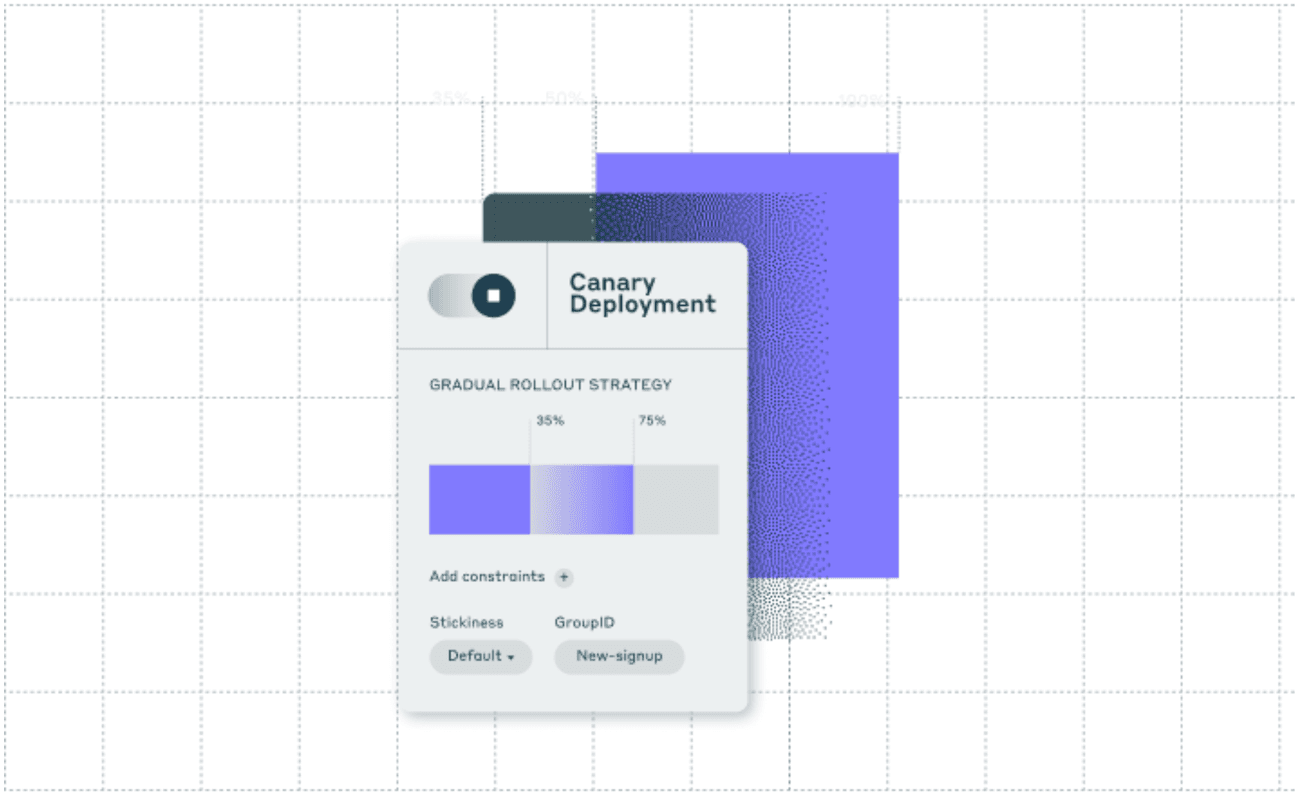
With Unleash’s feature flag system, you deploy code to production with new features disabled by default. You then use activation strategies to control which users see the new functionality.
Feature flag advantages
Feature flags provide operational benefits that matter for complex, distributed systems:
Granular rollouts: Features activate for specific user subsets. You can target 10% of users, particular customer accounts, or designated platforms. Unleash supports sophisticated targeting rules based on user attributes, segments, and custom context.
Immediate rollback: When issues arise, you toggle the problematic feature off without touching your deployment. This kill switch capability lets you respond surgically to incidents. The rest of your system keeps running normally.
Context-aware targeting: Flags evaluate based on runtime context including user ID, location, device type, or custom attributes. You can create tailored experiences for different user groups. Unleash’s constraint system makes this targeting precise.
Infrastructure efficiency: Feature flags operate within your existing deployment. You don’t need duplicate environments. This reduces operational costs and complexity significantly.
Forward-only operations: Rather than rolling code back, you disable problematic features and move forward with fixes. This avoids complications with database changes that aren’t backward compatible.
Going back to the device management example: instead of exposing new capabilities to all users at once, you can enable features for internal testing groups first, then expand to select enterprise customers, then roll out broadly. If issues emerge, only the affected feature disables. Core system functionality stays stable.
Enterprise requirements for feature flags
Production feature flag implementations need capabilities beyond basic toggling. Unleash provides:
Security integration: The platform connects with enterprise identity systems through SAML and supports role-based access control. Only authorized personnel can manage feature states.
Advanced targeting: Multiple evaluation strategies including percentage rollouts, A/B testing, IP filtering, and context-based targeting rules give you precise control.
Audit and compliance: Comprehensive logging tracks all feature changes. You can see who made changes, when they occurred, and under what conditions. This audit trail meets compliance requirements.
Technical differences in practice
The contrast between blue-green deployments and feature flags extends to core operational characteristics:
Change granularity: Blue-green deploys entire applications or services as a unit. Feature flags operate at the individual feature level within running code.
Risk distribution: Blue-green exposes users to all changes bundled in a version, whether traffic shifts gradually or atomically. Feature flags limit risk to individual features within targeted user segments, independent of version deployment.
Experimentation capability: Blue-green lacks native support for A/B testing or phased rollouts. With Unleash’s variant system, these capabilities become standard practice.
Infrastructure requirements: Blue-green doubles infrastructure needs during deployment. Feature flags work within existing infrastructure.
Reversibility: Database and state changes complicate blue-green rollbacks. Feature flags enable instant feature deactivation without system-wide reversions.
Technical example: multi-platform feature launch
You need to launch biometric authentication functionality. The requirement is to deploy initially only to North American users with specific hardware models. You want to avoid risk to legacy devices or other markets.
With blue-green deployment, you’d need environment configurations that somehow target only those users. This creates logistical challenges. If hardware-specific issues emerge, rolling back means accepting downtime or reverting changes for unaffected users.
With feature flags, you wrap biometric authentication in a flag configured to activate only for North American users with compatible hardware. You monitor telemetry and error rates in real time. If problems emerge, targeted users lose feature access while the broader deployment continues. The flag then expands to worldwide rollout using data-driven criteria.
Feature-driven operations
As software delivery velocity increases, traditional models that tie deployment to release cycles create bottlenecks. Feature flags enable continuous delivery where new capabilities decouple from release cycles.
This operational model extends beyond engineering. Support teams gain visibility into active features. Pre-sales teams understand capability availability for customer discussions. Feature flags become a shared construct for governance across the organization.
When to use each approach
Blue-green deployment retains value in specific contexts. It works well for regulated environments with strict change control requirements. If you have a monolithic application with infrequent major releases, blue-green can provide reliable updates with predictable rollback procedures.
Feature flags make more sense for:
- Systems requiring gradual rollouts
- Applications with frequent deployments
- Products serving diverse user segments
- Teams that need rapid experimentation
- Architectures where downtime is costly
Feature flags reduce deployment risk, lower operational costs, and enable faster feedback loops. They support cross-functional collaboration and simplify complex infrastructure management.
For organizations managing diverse platforms and dynamic user bases, feature flags with Unleash provide the control and flexibility needed for modern software delivery.
Frequently asked questions
What is blue-green deployment?
Blue-green deployment maintains two identical production environments called blue and green. Only one environment serves live traffic at any time. When deploying a new version, you install it on the inactive environment, test it, then switch traffic by updating load balancer or DNS configurations. The previous environment stays available for quick rollback if issues arise.
How does blue-green differ from canary deployment?
Blue-green refers to maintaining two complete, identical production environments. Canary deployment refers to gradually routing increasing percentages of traffic to a new version. These approaches can be combined—you can use blue-green infrastructure with canary-style gradual traffic shifting. The key distinction is that blue-green focuses on infrastructure duplication and environment-level switching, while canary emphasizes progressive rollout strategy. Feature flags differ from both by enabling feature-level control without requiring duplicate infrastructure.
Why is blue-green deployment expensive?
Blue-green requires duplicate production infrastructure. You maintain two complete environments even though only one serves traffic at any given time. For complex microservice architectures, this means doubling all servers, databases, load balancers, and supporting infrastructure. The cost persists during deployment windows and potentially longer if you keep the previous environment running as a safety measure.
Can feature flags and blue-green deployment work together?
Yes. You can use blue-green for infrastructure switching while using feature flags for gradual feature enablement within each environment. This provides both infrastructure-level and feature-level control. However, at that point, feature flags often provide sufficient control on their own without the added infrastructure costs of blue-green.
How do feature flags handle database migrations?
Feature flags support forward-only database changes. Instead of rolling back incompatible schema changes, you disable the feature that depends on those changes and deploy a forward-compatible fix. This approach works better with modern database practices than blue-green rollbacks, which can conflict with non-reversible schema modifications.
Share this article