Sign up for "Implementing a Kill Switch for AI" on Sep 22nd
Join the Unleash team to learn how to integrate runtime control in your AI strategy.
Why feature flags are critical for devops

Michael Ferranti
VP of Strategy
February 25, 2026
The fear of a Friday afternoon deployment is a symptom of a specific architectural problem: the coupling of code deployment with feature release. When moving binaries to a server automatically exposes new functionality to users, every deployment carries a binary risk profile. You either succeed completely or fail publicly.
Feature flags resolve tension by treating “release” as a runtime decision. By wrapping functionality in conditional toggles, DevOps teams change the fundamental physics of software delivery. You gain the ability to move code into production without exposing it, turning High Availability from a hope into a managed process. Shifting the release mechanism transforms feature flagging from a developer convenience into essential release infrastructure.
TL;DR
- Feature flags decouple the technical act of deployment from the business act of releasing software, allowing code to ship without user exposure.
- They function as immediate kill switches, drastically reducing the Time to Restore Service (TRS) when new code introduces bugs.
- Trunk-based development relies on flags to eliminate long-lived feature branches and the merge conflicts that accompany them.
- Governance is non-negotiable; without expiration dates and audit logs, flags accumulate as avoidable technical debt.
Decoupling deployment from release
In traditional waterfalls or early-stage agile environments, the “release” is the final step of the deployment pipeline. If the pipeline goes green, the user sees the change. Tight coupling forces teams to batch changes, creating large “blast radii” for potential errors.
Feature flags separate these two concepts. Deployment becomes the movement of code artifacts to infrastructure, while release becomes the selective activation of that code for specific users. Separating these concerns allows engineering teams to push code to production continuously, even if the feature itself is only 10% complete. The code sits dormant behind a flag, executing only for developers or QA teams who are intentionally targeted. Continuous integration of incomplete work prevents the “big bang” integration hell that often occurs weeks before a deadline.
Referencing Martin Fowler’s patterns, the capability supports progressive delivery. You are not just turning a feature on; you are routing traffic through different code paths based on dynamic criteria. Progressive delivery moves risk control from the pre-production environment (where data is synthetic and traffic is low) to the production environment (where reality actually happens), but does so with safety rails.
Accelerating deployment frequency
While improved stability is the immediate benefit of feature flagging, the long-term impact is a massive increase in deployment frequency. Without flags, deployment frequency is throttled by the fear of breaking production. Teams bundle changes into large, infrequent releases to “minimize risk,” which paradoxically increases it.
Feature flags invert the dynamic. Because deployment is safe, teams deploy smaller batches more often. Such a shift aligns directly with the “Throughput” side of the DORA metrics. High-performing DevOps teams do not just recover faster; they ship code on demand. By removing the deployment ceremony, you turn the release process from a quarterly event into a non-event that happens multiple times a day.
Throughput also accelerates feedback loops. In a traditional model, a developer might wait weeks to see if their code works in the wild. With flags, they can verify functionality in production minutes after the code is written, effectively shortening the lead time for changes.
The impact on DORA metrics
The DevOps Research and Assessment (DORA) program identifies four key metrics that differentiate high-performing teams: Deployment Frequency, Lead Time for Changes, Change Failure Rate, and Time to Restore Service. Feature flags directly influence the stability side of the equation.
Reducing time to restore service
When a release causes an incident, the standard CI/CD remediation path is a rollback or a roll-forward fix. Both take time. A codified rollback requires the pipeline to execute again, re-deploying the previous artifact. Depending on the complexity of the build and the infrastructure, the process can take anywhere from 10 minutes to an hour.
With feature flags as a rollback mechanism, remediation takes seconds. The “fix” is a configuration update that disables the flagging rule, instantly routing users back to the safe, operational code path. Rapid recovery is critical for meeting aggressive SLAs and maintaining user trust during turbulent updates.
Stabilizing change failure rate
Change Failure Rate measures the percentage of deployments causing a failure in production. Feature flags allow you to test in production with a limited cohort (such as internal employees or 1% of the user base) before a full rollout.
If an error occurs within that 1% cohort, you disable the flag. From a metrics perspective, the deployment did not fail for the system at large. The blast radius was contained, and the vast majority of users never experienced the defect. Containment turns what would be a Sev-1 incident into a minor bug report.
Enabling trunk-based development
Long-lived feature branches are the enemy of velocity. The longer a branch exists separately from the main codebase, the more it diverges, eventually leading to massive merge conflicts that freeze development for days.
Feature flags are the prerequisite for trunk-based development. Developers commit small batches of code to the main branch daily. Because the incomplete code is wrapped in a flag, it does not interfere with the stability of the main branch or block other releases.
Daily commits facilitate continuous integration in the literal sense. Code integrates constantly. If a conflict arises, it is small, contextual, and resolved immediately by the person who wrote the code. Trunk-based development forces continuous integration in the literal sense, preventing the panic merges that typically occur days after a feature is thought to be complete.
Moving to progressive delivery
Dumping a new feature on 100% of your users simultaneously is rarely the correct strategy for complex systems. Progressive delivery uses feature flags to structure the release as a gradient.
Canary releases and ring deployments
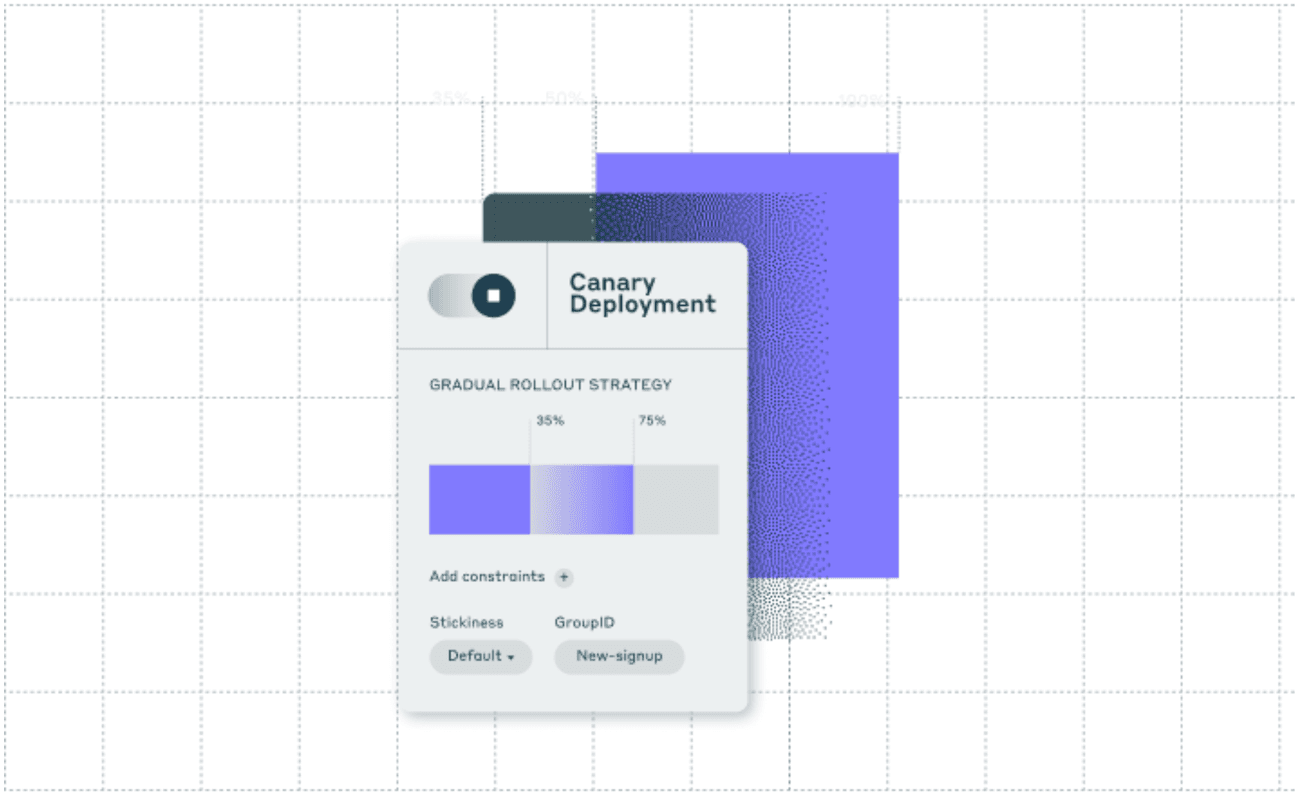
A canary release involves exposing a new feature to a small, representative subset of users to verify performance and stability. If the system metrics (latency, error rates) remain stable, the audience size increases.
Ring deployments formalize the process into stages:
- Ring 0: The development team.
- Ring 1: Internal employees (dogfooding).
- Ring 2: Beta testers / low-risk users.
- Ring 3: General availability.
Implementing ring deployments without feature flags requires complex infrastructure routing or multiple staging environments that rarely match production parity. Feature flags handle logic at the application layer, allowing accurate progressive delivery without multiplying infrastructure costs.
Testing in production
Staging environments are expensive lies. They rarely possess the data volume, traffic concurrency, or network messiness of production. Consequently, bugs that rely on race conditions or specific data states often slip through QA.
Feature flags enable safe testing in production. You can enable debug logging or verbose error tracking for a specific feature flag enabled only for your QA engineers’ user IDs. They test against real production data, but their actions are isolated from customers. Isolation removes the guesswork of “it works on my machine” and validates functionality in the only environment that truly matters.
Governance and technical debt control
The most common criticism of feature flags is that they create messy code. Conditional logic increases complexity. If flags effectively become permanent, the codebase becomes a graveyard of dead toggles, making the system hard to reason about and test.
Managing flag lifecycle
DevOps teams must treat flags as inventory with a shelf life. A release flag should exist only as long as the rollout is in progress. Once the feature is 100% live and stable, the flag is technical debt.
Effective governance requires defining flag types with strict expiration policies. GitLab’s feature flag documentation provides a concrete example of this discipline. They categorize flags by intent and assign maximum lifespans to each: “de-risk” flags are capped at two months, while “beta” flags can exist for up to six months. Enforcing such rigor prevents the “permanent temporary” solution. Flags that exceed their lifespan should trigger alerts or even block deployment pipelines until resolved.
Automating debt removal
Manual cleanup processes often fail at scale. When flags are left in the codebase after a feature is fully released, they accumulate as “inventory” that complicates testing and increases the cognitive load for developers. AI-powered tooling is changing this. The Unleash MCP Server connects AI coding assistants to your feature flag management system, providing language and framework specific guidance for identifying and removing stale flags.
Rather than relying on developers to remember which flags are safe to delete, the MCP Server’s cleanup tool scans for flag usage across your codebase and suggests safe removals — turning a neglected chore into an automated workflow step. Combined with impact metrics that tie production signals directly to each flag, teams can confidently manage the full flag lifecycle from creation through rollout to removal, preventing technical debt from accumulating in the first place.
Security and auditability
Feature flags modify system behavior at runtime. In regulated industries or large enterprises, changing a flag is functionally equivalent to deploying code. It requires similar security controls.
However, flags should not be used for security patches. If a flag defaults to “off,” a self-hosted instance or customer environment might remain vulnerable even after the update is applied. GitLab’s release policy explicitly prohibits the use of feature flags for security merge requests to ensure that critical fixes are always active and cannot be accidentally disabled by configuration errors.
For operational flags, you should not rely on a config file or a database row that any developer can update. Flag management systems need Role-Based Access Control (RBAC) to ensure that only authorized personnel can toggle critical operational flags. Furthermore, regulated environments often require the “four-eyes principle,” where a toggle change in production requires approval from a second engineer.
Applying strict change requests to your flagging system creates an audit trail. You can prove exactly who turned a feature on, when they did it, and who approved it. Audit trails turn feature flagging from a “developer hack” into a compliant release process suitable for finance, healthcare, and government sectors.
Conclusion
Feature flags have evolved from simple conditional statements into the control plane for modern software delivery, effectively solving the conflict between the need for speed and the requirement for stability. They allow organizations to measure the success of DevOps initiatives not just by how fast they deploy, but by how safely they can fail.
For organizations operating at scale, simply having a boolean toggle is no longer enough; the complexity of modern delivery requires a dedicated FeatureOps platform like Unleash to provide the governance, security, and architectural oversight necessary to manage thousands of flags across distributed systems. By treating feature flags as critical infrastructure, teams gain the confidence to decouple deployment from release and ship faster with less risk.
FAQs about feature flags & devops
How do feature flags affect application performance?
Feature flags add a minimal amount of latency, essentially the cost of a hash lookup, which is usually negligible (milliseconds or microseconds). However, if a flag requires a network call to a third-party server for every evaluation, latency can spike; best practices involve caching flag states locally or using edge evaluation to ensure decisions happen near-instantly.
Can feature flags replace a staging environment?
While they reduce reliance on staging, they don’t entirely replace it for all testing types, such as load testing or destructive schema migrations. Flags allow for high-fidelity “testing in production” for functional behavior and user experience, which often provides better results than testing in a stale staging environment.
What is the difference between a feature flag and a configuration file?
Configuration files are static and typically require a service restart or redeployment to Apple changes, making them slow to react to incidents. Feature flags are dynamic and evaluated at runtime, allowing you to change system behavior instantly without restarting services or deploying new artifacts.
How do you handle database migrations with feature flags?
You separate the migration into phases: expand the schema to support both old and new structures, deploy the code with a flag reading from the old structure, toggle the flag to read/write to the new structure, and finally contract the schema once stable. The flag controls which schema path the application code uses, protecting the application from potential migration errors.
Who should be responsible for cleaning up old feature flags?
The developer or team who created the flag should maximize ownership of its lifecycle, including its removal. Teams should implement a “cleanup” task as part of their definition of done for a feature release, ensuring that temporary toggle code doesn’t become permanent technical debt.
Share this article